


TOUCHSCREEN PACKING & LABELING SOLUTION

Pack cartons in seconds with ShipLink PACKTM

Carton packing is the most labor-intensive step in the fulfillment process. It’s also the most critical for shippers that need to generate carton-specific packing lists and transmit EDI 856 transaction data.

Unfortunately, most packing solutions are needlessly complicated, requiring numerous time-consuming steps.

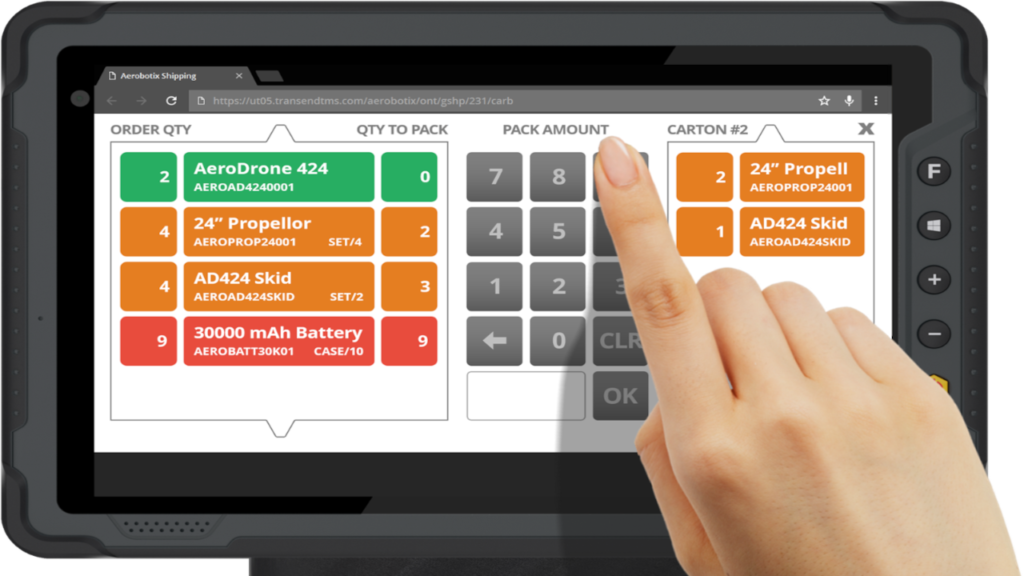
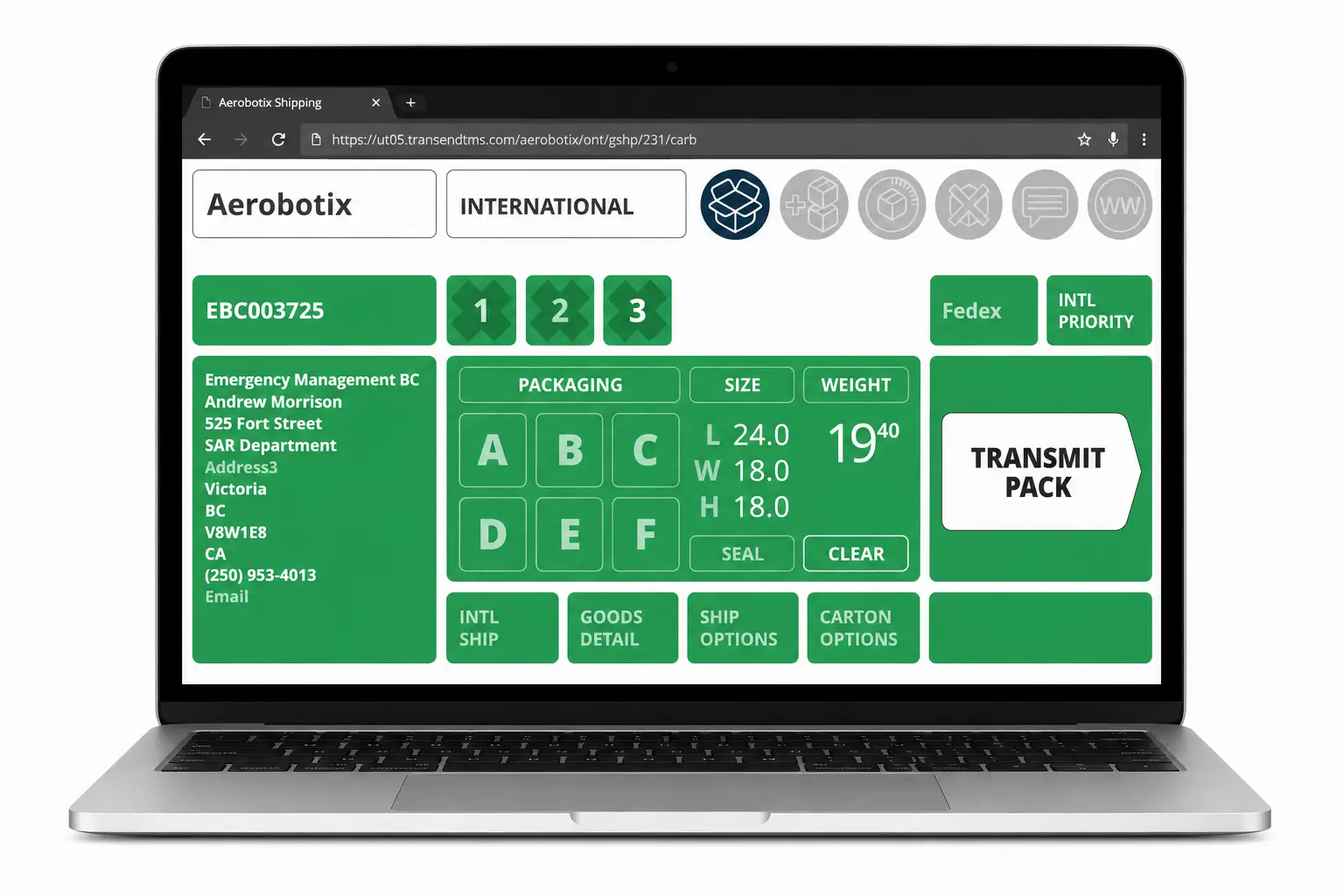
ShipLink PACK™ solves these problems with a simple, touchscreen interface that guides users through the packing process.

A quick scan provides a list of line items that users assign to cartons in seconds. Once done, a single touch selects carton dimensions. After carton weights are captured, another touch generates labels or sends pack data to a shipping workstation.

At the end of each packing transaction, ShipLink PACK™ leverage’s ShipLink’s powerful rules engine to record and compose required EDI data and optionally update P21. It can also generate ship notification messages – complete with carton contents.

The solution also records detailed packing and shipment data that management can access through the multi-location, ShipLink VIEW™
Reporting platform.

ShipLink PACK™ includes administration tools to configure equipment, create workstation profiles, maintain carton dimensions, and customize line-item
selection buttons.

The browser-based solution quickly installs with little IT involvement and minimal learning curve

Features & Benefits

  • Powered by the ShipLink rules and processing engine
  • Integrates deeply with Profit 21
  • Runs on any connected device and automatically scales to fit any screen
  • Connects with any scale, scanner and network printer
  • Retrieves 100% of Pick Ticket, Customer and Inventory data
  • Assigns line items to cartons with a single touch or quantity entry
  • Maintains custom library of carton dimensions for single-touch selection
  • Generates labels or transmits data to downstream shipping station
  • Collects pack data required for EDI 856 transactions
  • Provides single-touch consolidation, pause, cancel and supervisor message generation
  • Employs color-driven, touch-screen technology to streamline data entry and reduce errors
  • Includes administration module to customize display and data paths

Touchscreen device streamlines packing and labeling

The ShipLink DELIVER™ Mobile application provides six unique functions that use color to guide users through fulfillment processes

SCAN ORDER

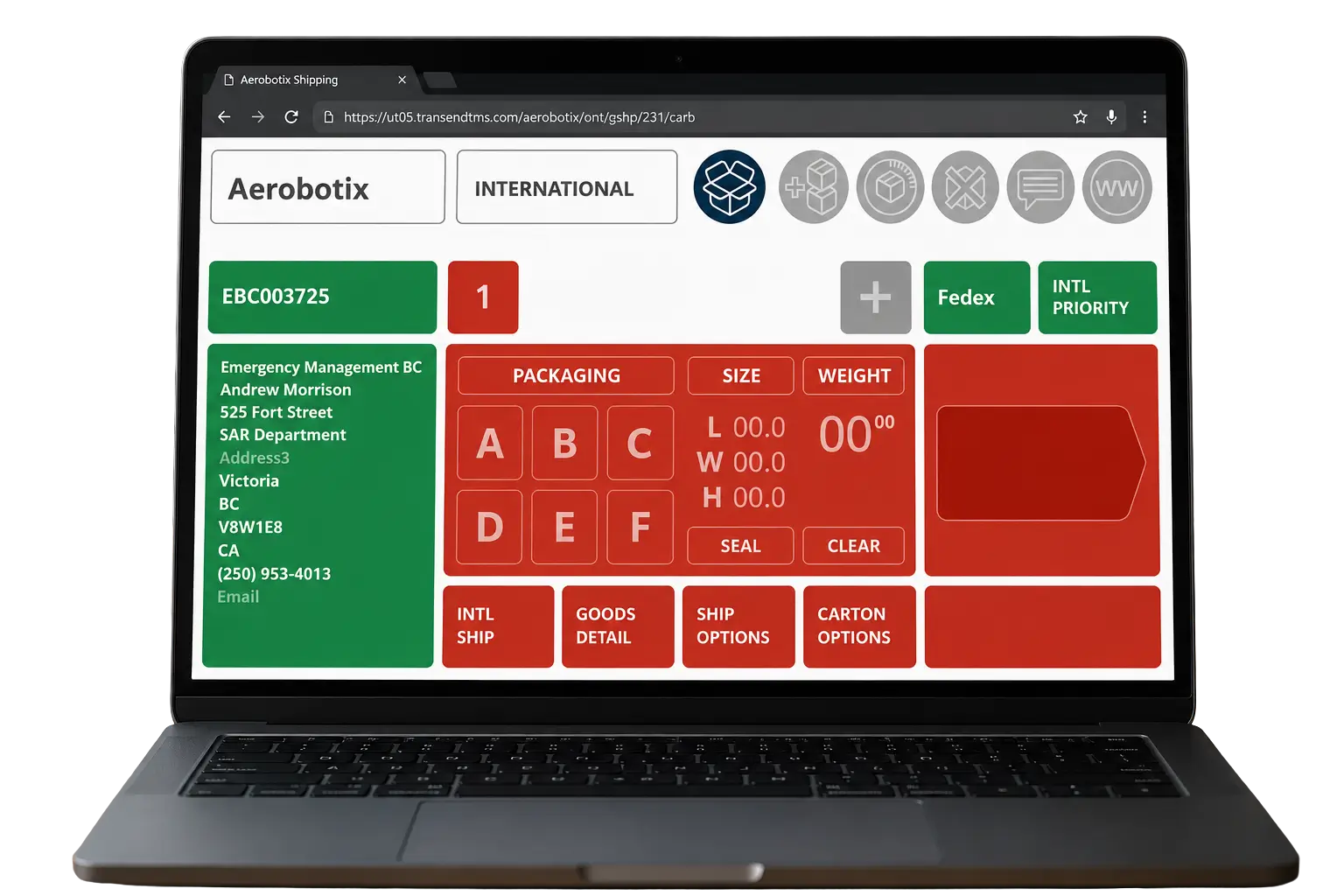
Users start by scanning a barcode or entering the corresponding order number. Once done, ShipLink PACK™ retrieves pick ticket data, runs business rules then instantly populates consignee information for users to begin packing.

PACK ITEMS

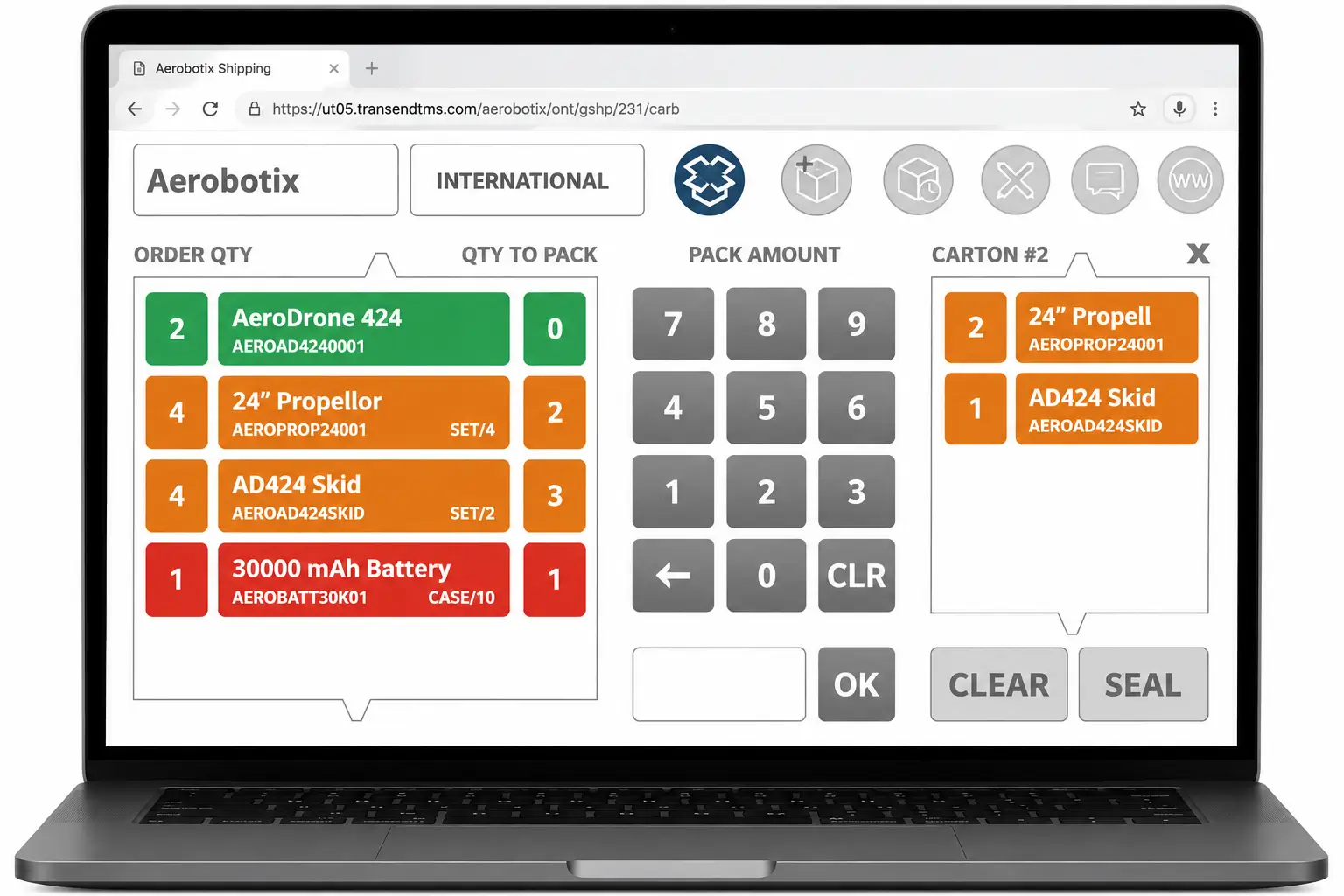
Next, users scan or touch on-screen pick ticket items, enter quantities, pack goods, and click SEAL when the carton is full. Red indicates an item needs to be processed. Gold indicates the quantity is partially packed. Green indicates the item is completely packed.

SELECT CARTON

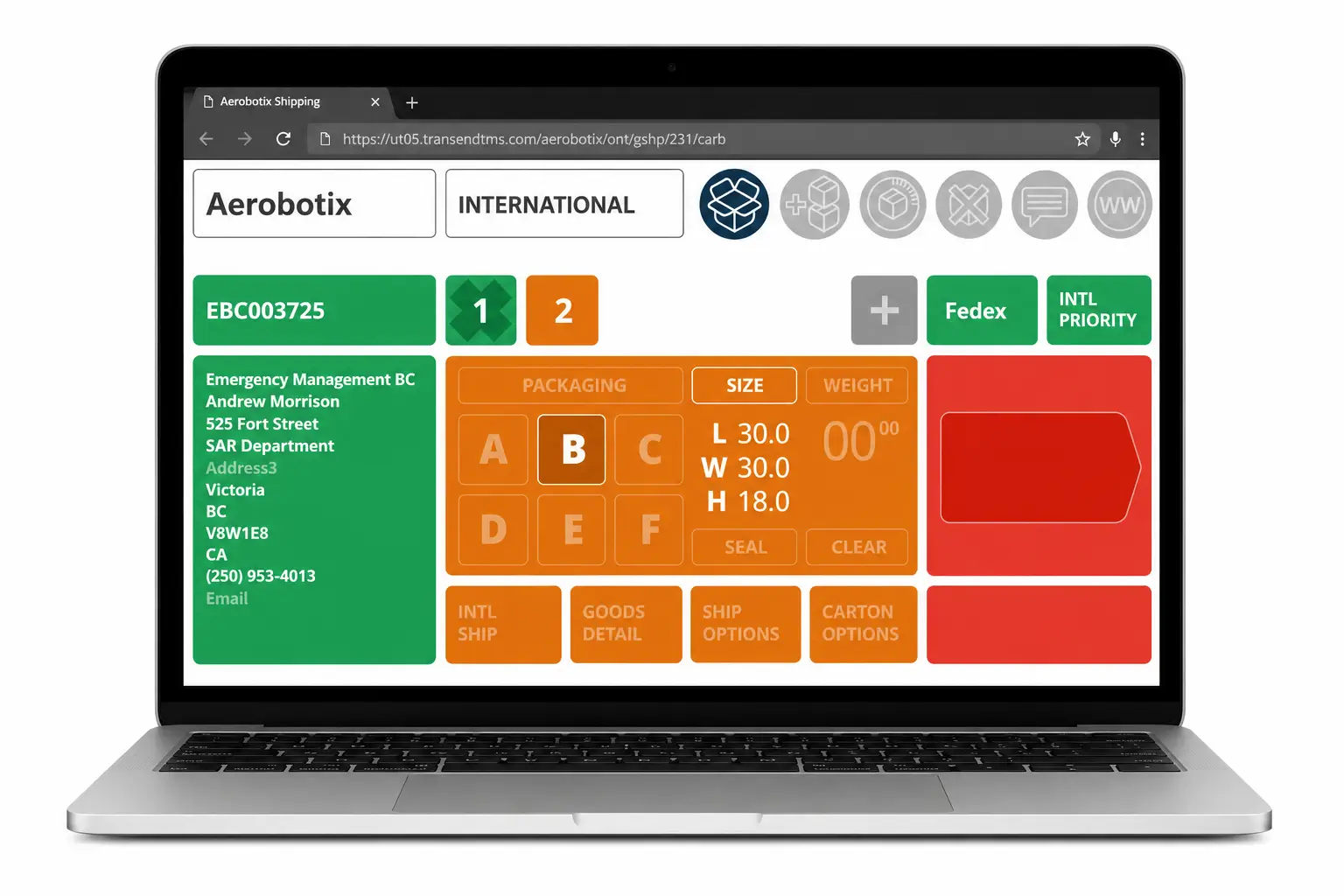
Users then click one of six, A through F, buttons to indicate the carton used or enter dimensions for less common sizes. Once done, users place the carton on a connected scale to capture the weight and complete the process. Weights may also be entered manually.

PRINT LABELS

After everything is packed and the interface turns green, users simply click the big white button to generate labels or transmit pack to a separate shipping workstation. The entire process takes just seconds, reduces shrink and eliminates common data errors.

Start packing today

The ShipLink PACK™ touchscreen interface includes action buttons that provide instant access to powerful features.

PACK is the default mode used to process single pick tickets. Cartons may then be labeled or sent to a separate ship station. CANCEL allows you to quit the packing process, click a reason then return the pick ticket for subsequent processing.


  CONSOLIDATE allows you to add multiple pick tickets to a current packing process. pick tickets are pre-validated for proper delivery. MESSAGING allows users to send prepared messages to supervisors about packing supplies and equipment among other issues.

SUSPEND allows you to pause the packing process and move on to another pick ticket. When ready, a single click retrieves the shipment. LOGIN/LOGOUT profiles include single sign-on credentials, workstation permissions and related function authorizations