
REPORTING & COMMUNICATIONS SOLUTION
Gain total visibility and manage communications with ShipLink ViewTM
Visibility remains crucial to the proper operation of any fulfillment solution. Without granular data and metrics, companies have no way to evaluate performance and make critical adjustments.
ShipLink brings clarity to your operations with its powerful suite of ShipLink Central Management & Reporting resources. Operating inside your network, the resource continuously works to collect data from any number of locations and shipping workstations. This information is then used to generate real-time, shipment-level status reports and aggregated statistics.
For customer service staff, ShipLink VIEW™ Management & Reporting provides data required to keep customers informed. For management, the resource provides KPIs required to assess distribution centers, carriers, communications and the success of company fulfillment policies.
Communication also remains essential to customer satisfaction. With fulfillment this includes keeping customers informed when orders shipped, what goods were included and when to expect delivery. This same information also keeps sales, customer service and drop-shipping partners current on order status.
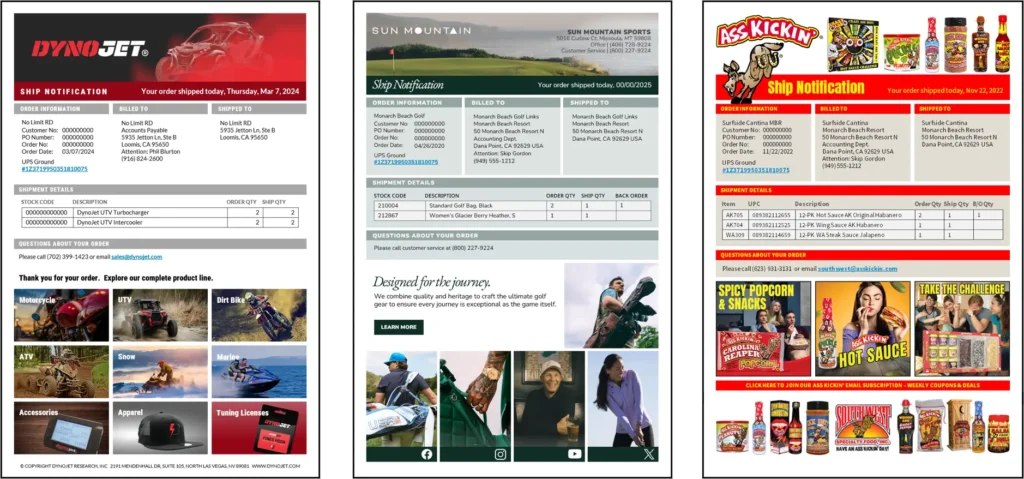
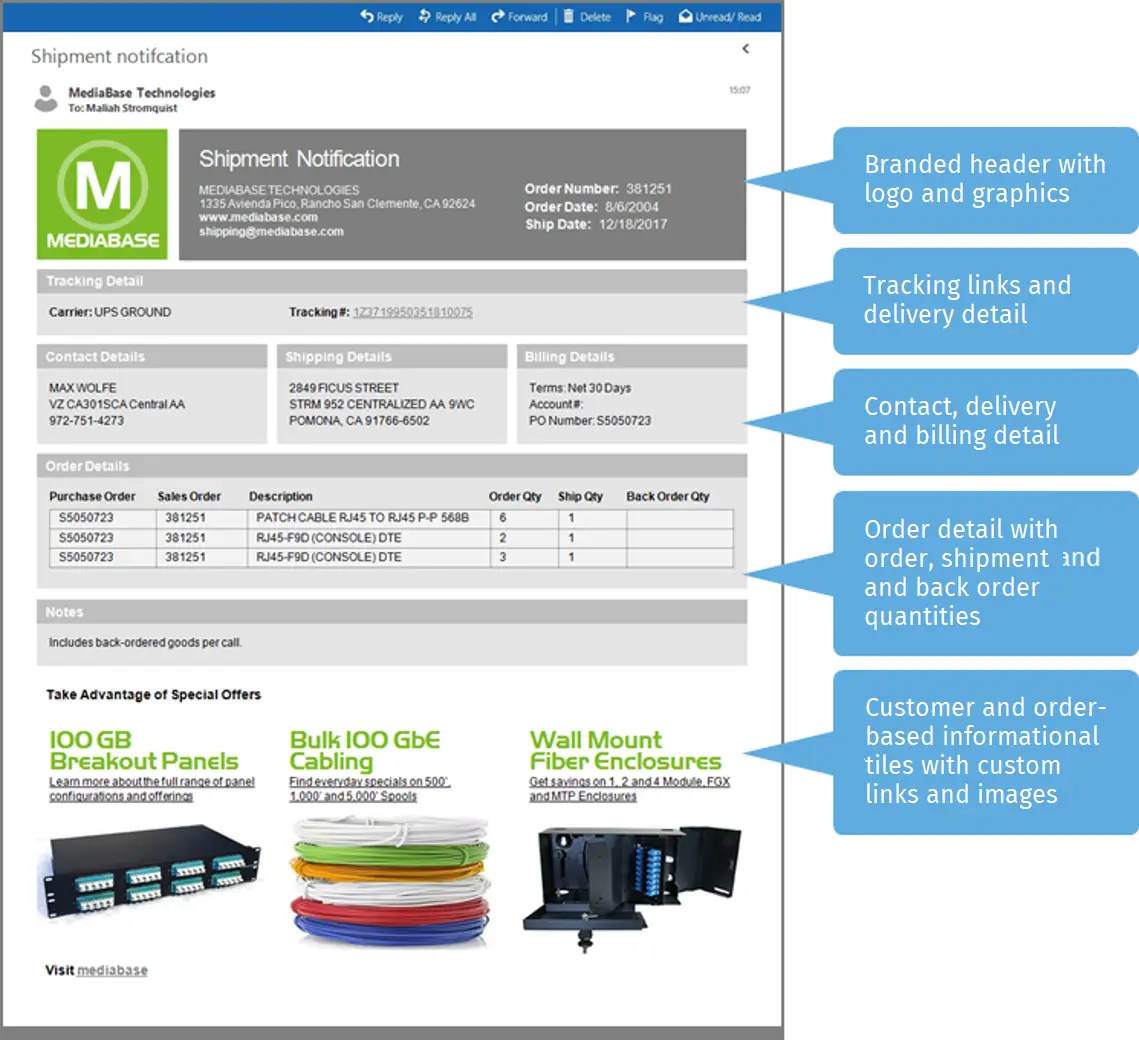
To maintain communication, ShipLink was designed to automatically generate shipment-specific messages, including ship notifications with linked tracking data, order detail, and contextual promotions.
The message generation process is handled by ShipLink Central a cloud powered resource that provides the business rules and templates required to, define and distribute various communications.
Features & Benefits
SHIPLINK CENTRAL REPORTING
- Collects detailed shipment information from multiple locations and workstations
- Maintains data on SQL Server secured inside your network
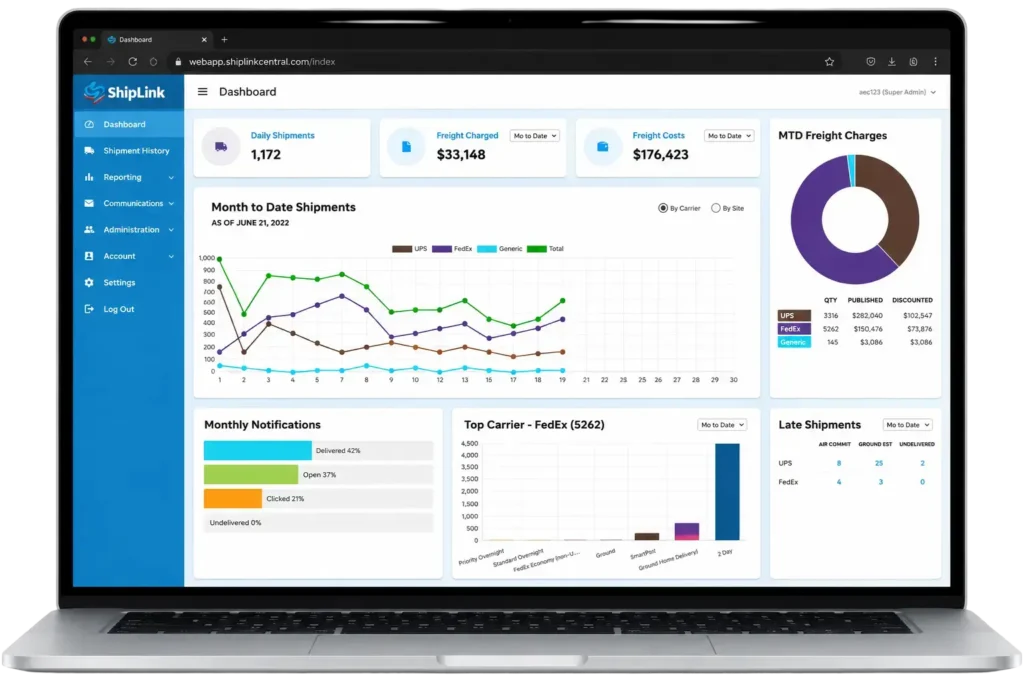
- Provides management dashboard with real-time KPIs
- Generates detailed shipment history, including customer, order, carrier and any required packing information
- Provides real-time tracking status to support customer service operations
- Includes standard shipping reports plus WYSIWYG report builder
- Maintains end-user roles and permission
SHIPLINK CENTRAL MESSAGING
- Automatically generates rules-based labels, documents, reports and email messages upon every shipment
- Outputs can be stored, printed or combined into custom emails, complete with branding and attachments
- Email recipients can include any number of customer contacts, internal staff and outside individuals
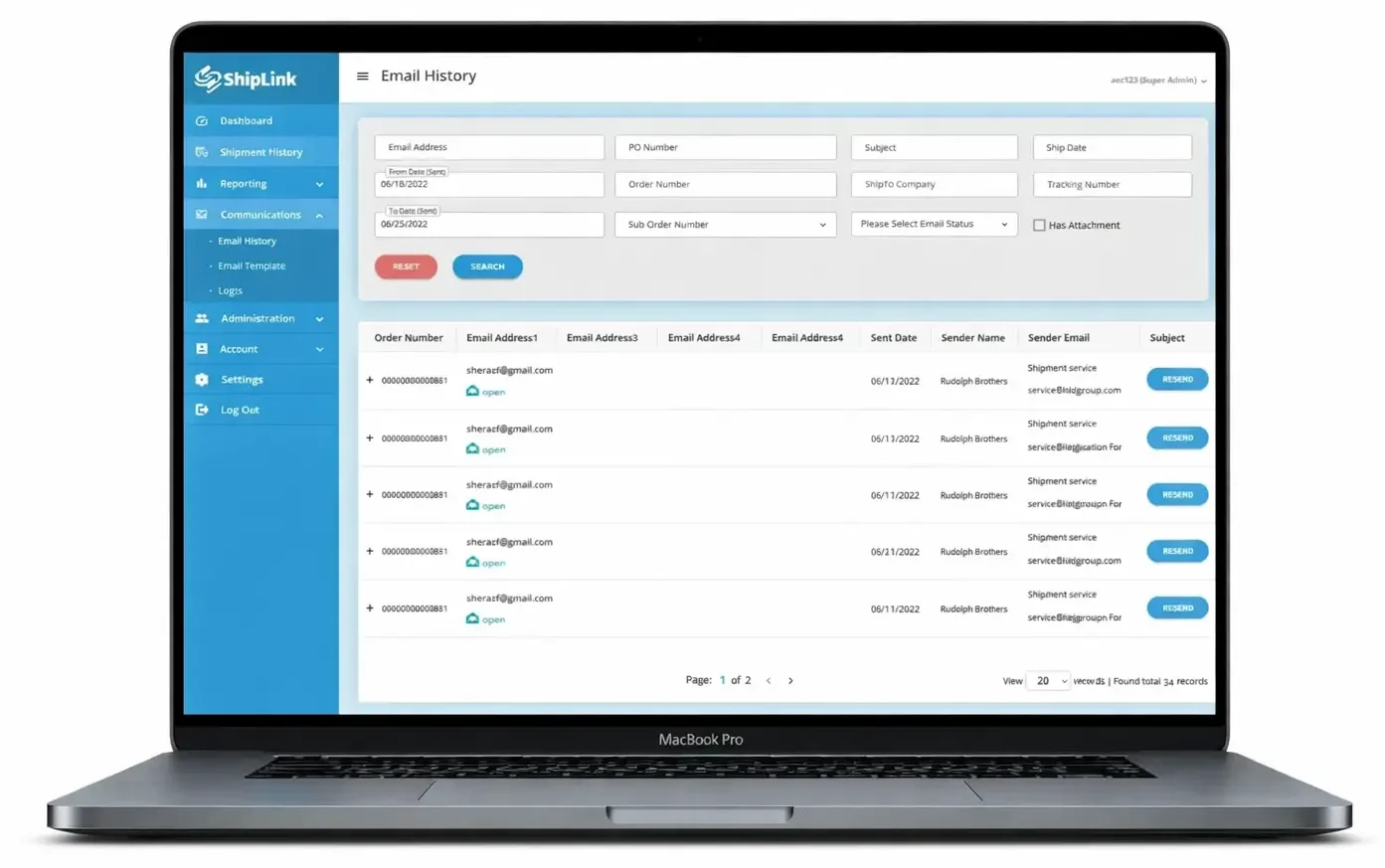
- Tracks email activity, including the received, opened, clicked and bounced status of every message
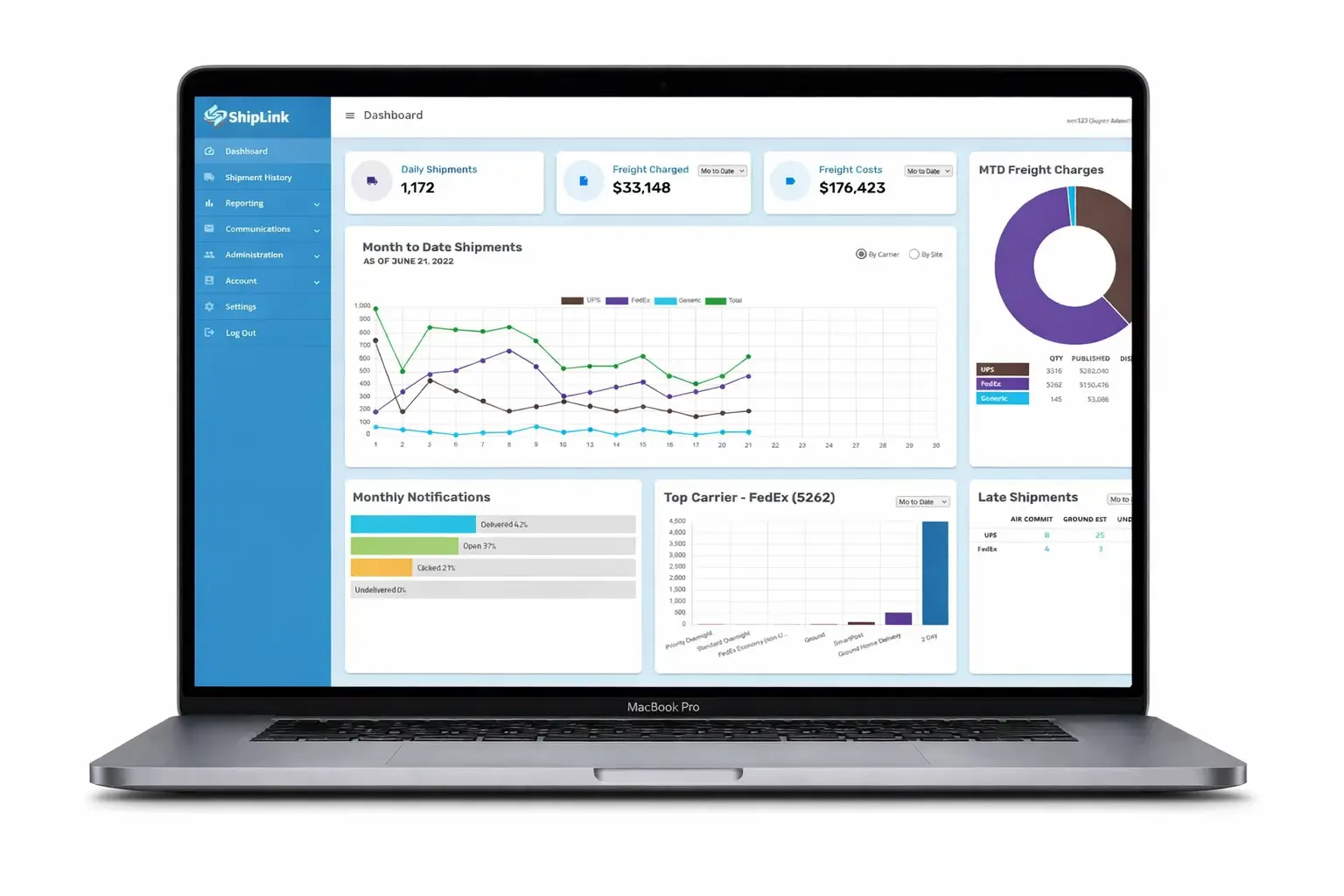
Performance Dashboard
- Daily Shipments
- Daily, MTD, QTD & YTD Freight Charges/Costs
- Month-to-Date Freight Charges by Carrier
- Monthly Ship Notifications by Status
- Daily, MTD, QTD and YTD Shipping Volume by Carrier and Service Level
- Late Shipments by Carrier and Status
Shipments & Tracking
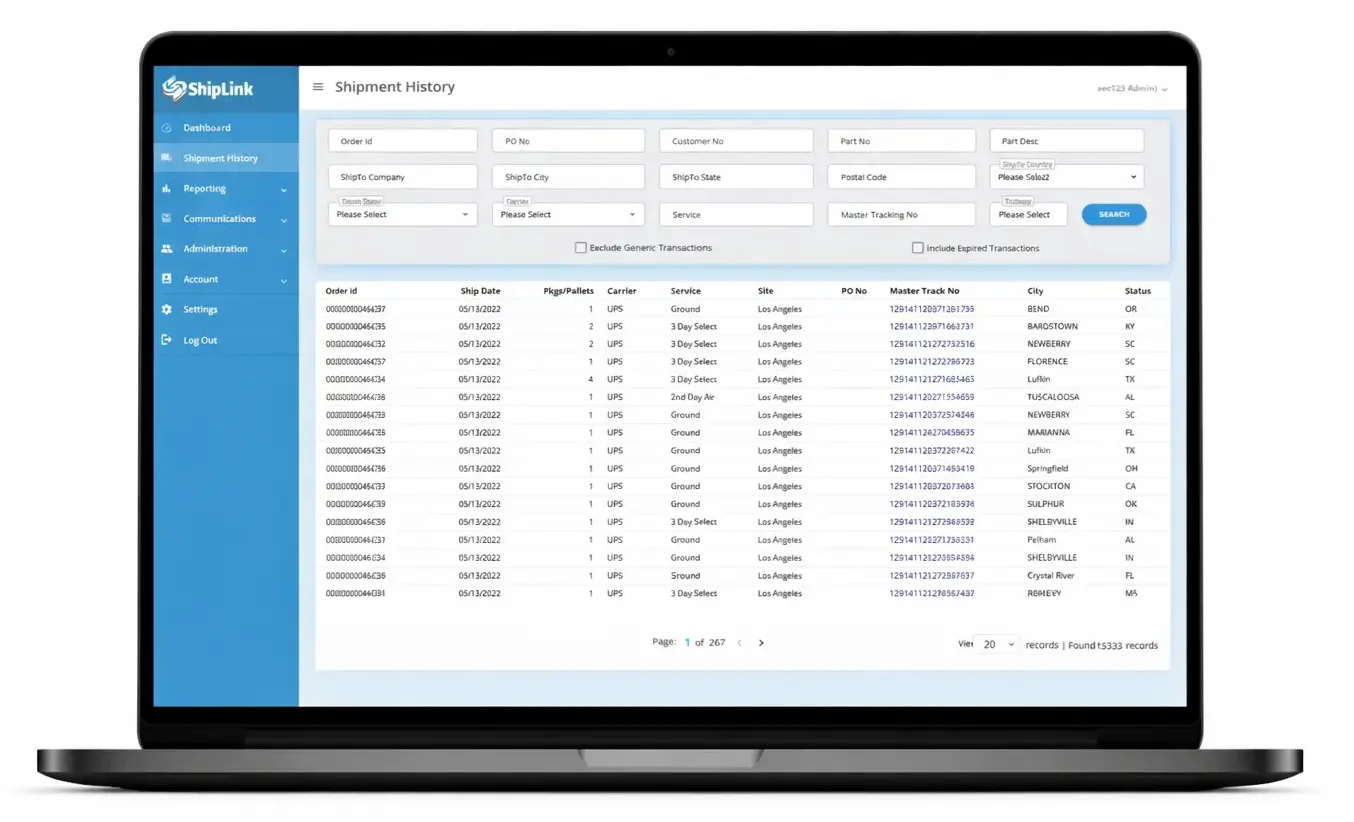
ShipLink View™ Shipment History allows users to filter by shipment detail and date range then display a click-through list of individual shipments, including:
- Order ID & PO Number
- Ship Date
- Number of Packages or Pallets
- Carrier & Service
- Origin Location
- Linked Master Tracking Number
- Destination City & State
- Status & Status Date
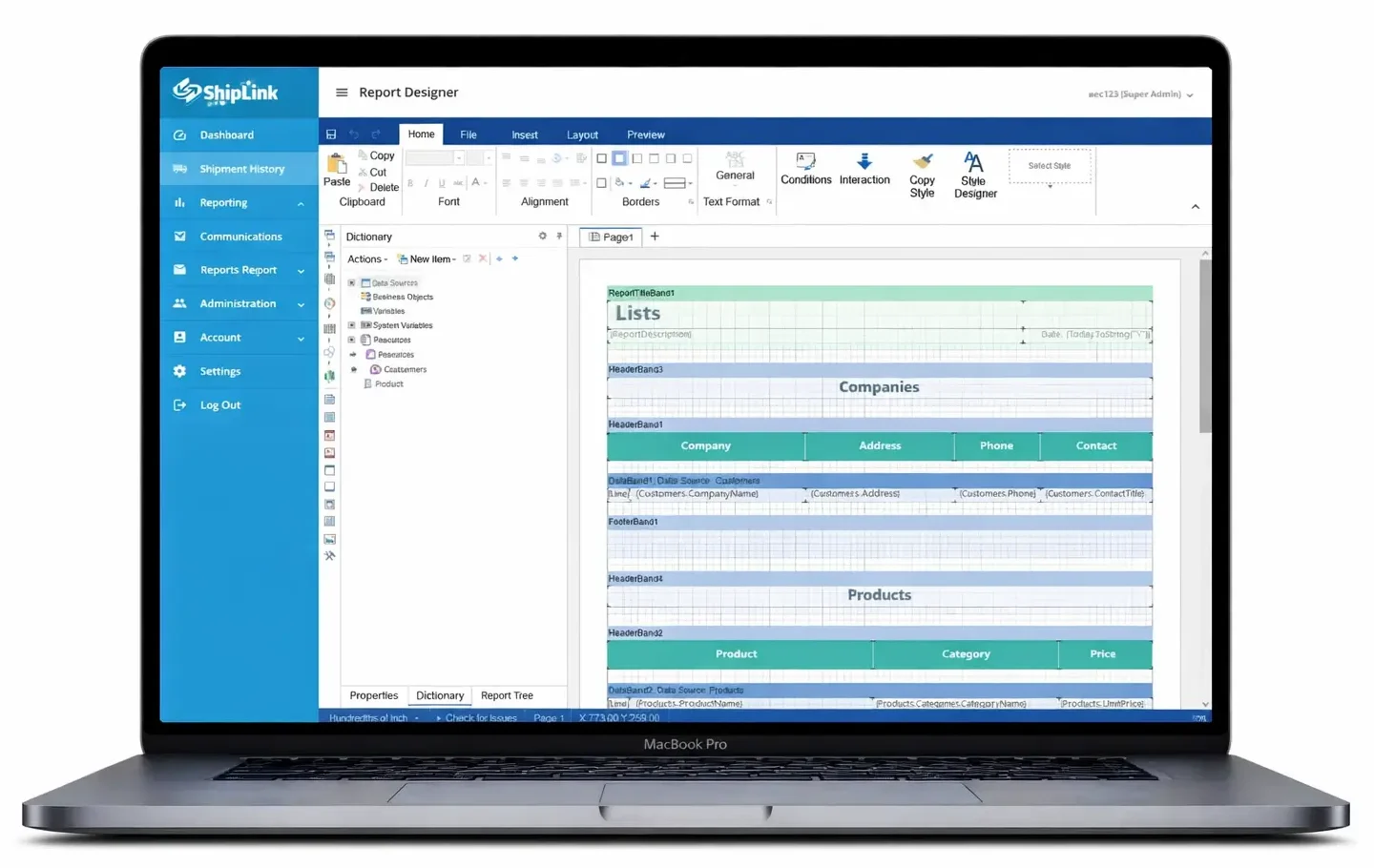
Reporting
- Shipments by Customer (shown)
- Shipments by Goods Value
Say something with every shipment
Custom Email
- Triggering with options to set generation upon shipment, EOD close or custom events
- Template selection with support for division, product line and drop-ship merchant branding
- Promotional material with option for order detail-driven content
- Recipient targeting with options for up to five distinct email addresses
Message material, including templates, text and images are stored in the cloud for immediate access, editing and re-composition.
In effort to ensure proper delivery message distribution is handled by secure and trusted, SendGrid®.
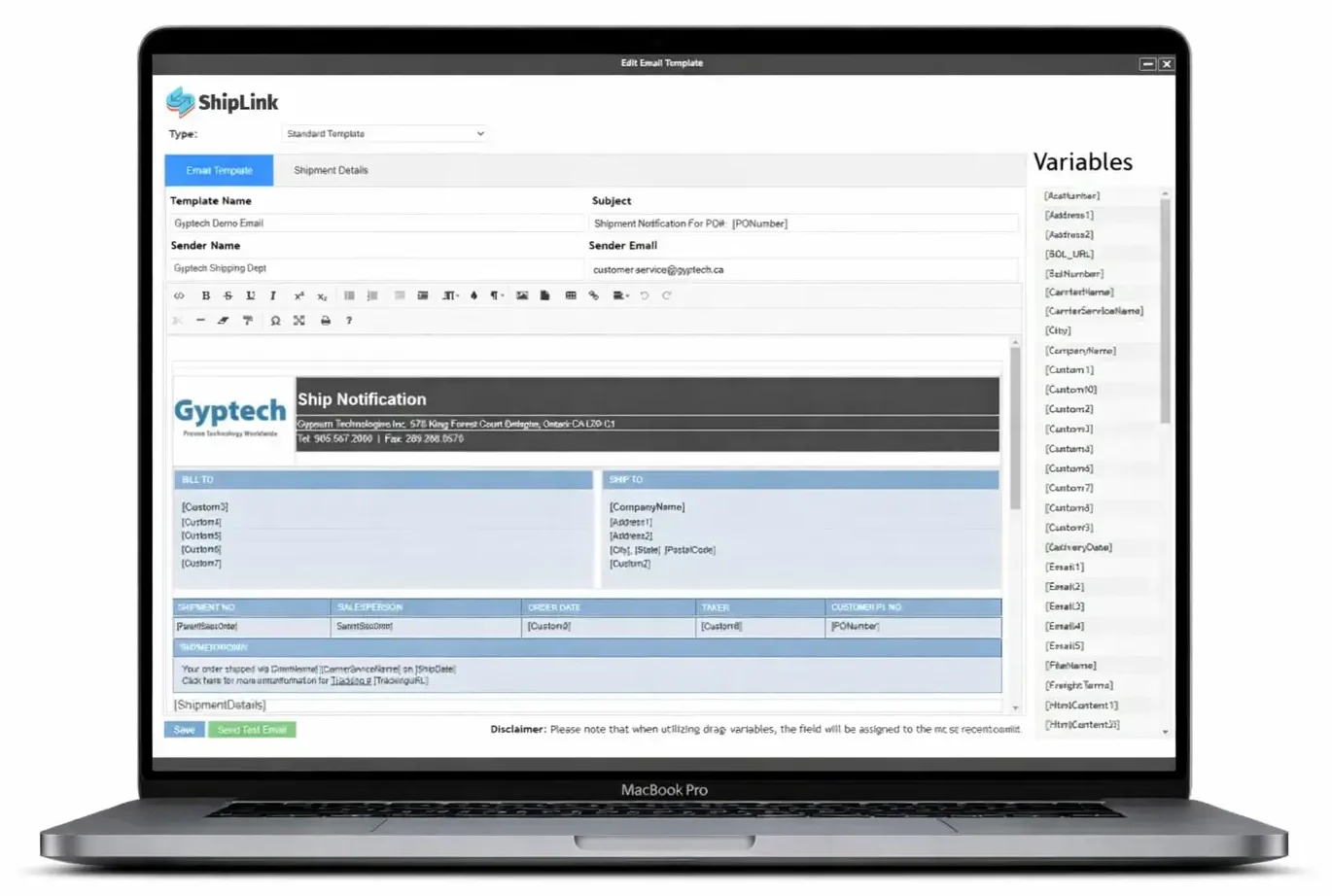
WYSIWYG Template
- Drag-and-drop any ERP data field captured by ShipLink
- Select HTML fonts and color schemes that match corporate identity guidelines
- Upload and insert any number of custom branding elements, including logos, product images and promotional graphics
- Create their own, entirely new template with an HTML editor
- Preview completed templates to ensure proper appearance and content
Message Management
- Order Number
- Recipient Email Addresses
- Delivered/Open/Clicked/Bounced Status by Recipient
- Sender Name, Date & Email Address
- Email Subject