
MULTICARRIER FREIGHT & PARCEL SHIPPING
Leverage ERP data to optimize fulfillment with ShipLink SHIPTM
From the moment you scan an order through rate options, carrier selection, label generation, export declarations, custom message generation, EDI output and final shipment reporting, ShipLink automates every step of the way. And unlike any other solution, ShipLink provides this power with familiar, carrier-provided programs like UPS WorldShip®, FedEx Ship Manager and Stamps.com.
ShipLink also works to optimize the way companies operate their shipping solution with click-to-configure administration utilities, business rule libraries, pre-made communication templates, automatic updates and world class support.
Features & Benefits
- Provides single scan shipping from ShipLink WorkStation
- Captures 100% of Order, Customer and Item data directly from the ERP, including line-item detail for international shipments
- Recognizes and applies carrier and freight charge rules created in the ERP and/or ShipLink
- Recognizes shipping codes to fully automate the processing of freight and parcel shipments
- Replaces the time-intensive, manual shipment consolidation process with single-click, validated Order consolidation
- Generates custom labels, documents and transaction-based, dynamic email messages and reports
- Returns ship data, including customized freight charges and tracking links to the ERP
- Includes built in ShipLink functions to create shipments and view charge/tracking data within the ERP
- Eliminates long, expensive implementation process with powerful configuration tools
- Supports operator-free, block-box processing of pre-packed parcels with defined weights and dimensions
- Generates EDI 856 ASN data and communicates with trade networks
- Eliminates manual international goods data entry
- Accelerates overall shipment throughput
- Supports complex freight charge policies
- Eliminates excess duties and taxes
- Accesses most cost-efficient carrier services, including LTL
- Increases visibility and control
- Maximizes ROI, reduces TCO
Parcel Shipping
- Single-click shipping with automatic population of pre-processed shipment data
- Access to 100% of available services and options
- Dramatic reduction in processing errors and conflict resolution
- Immediate productivity from new staff already familiar with time-tested programs

One Click Shipping
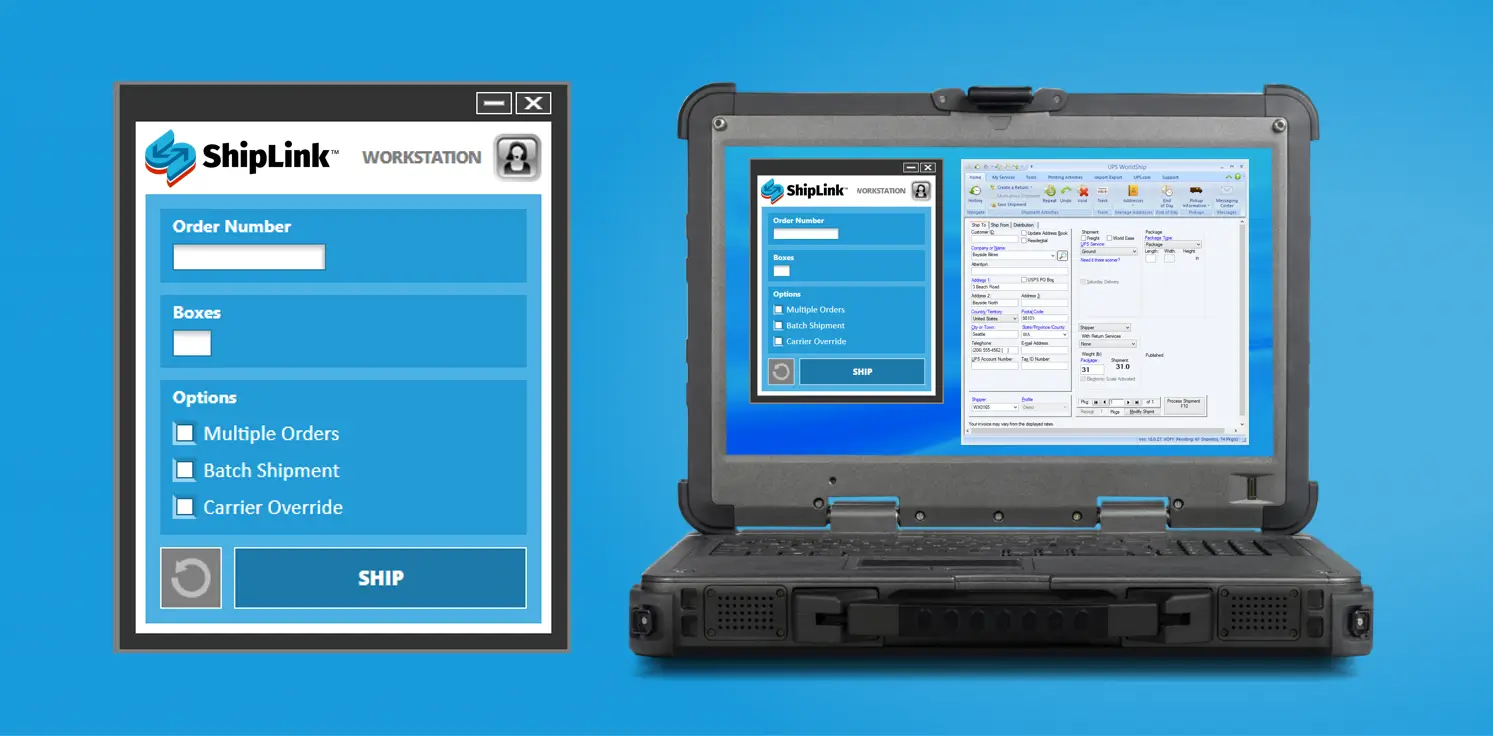
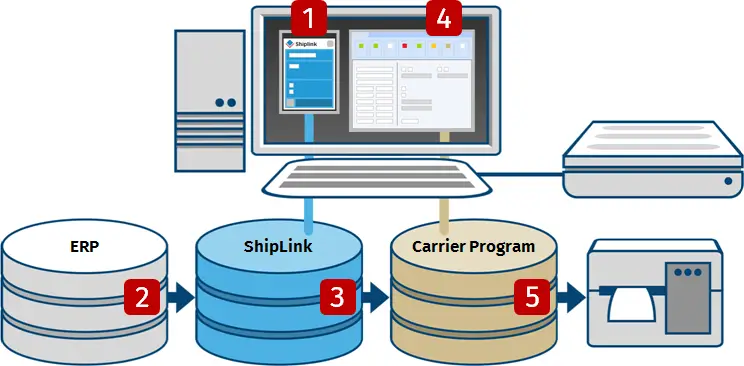
ShipLink includes a simple shipping interface that operates from any network PC – without need for any ERP license. ShipLink also provides functionality to process shipments from inside the ERP. In all cases, shipments take just seconds, including those with consolidated orders and international destinations.
1
2
3
ShipLink then uses ERP data to run business rules, create a corresponding shipment record and automatically populate the designated carrier program, including service options and international goods detail as required.As an option, ShipLink may be configured to automatically retrieve, display and allow for the selection of rating and routing options prior to populating the carrier program.
4
5
Freight Shipping
- Single-click shipping with automatic population of pre-processed shipment data
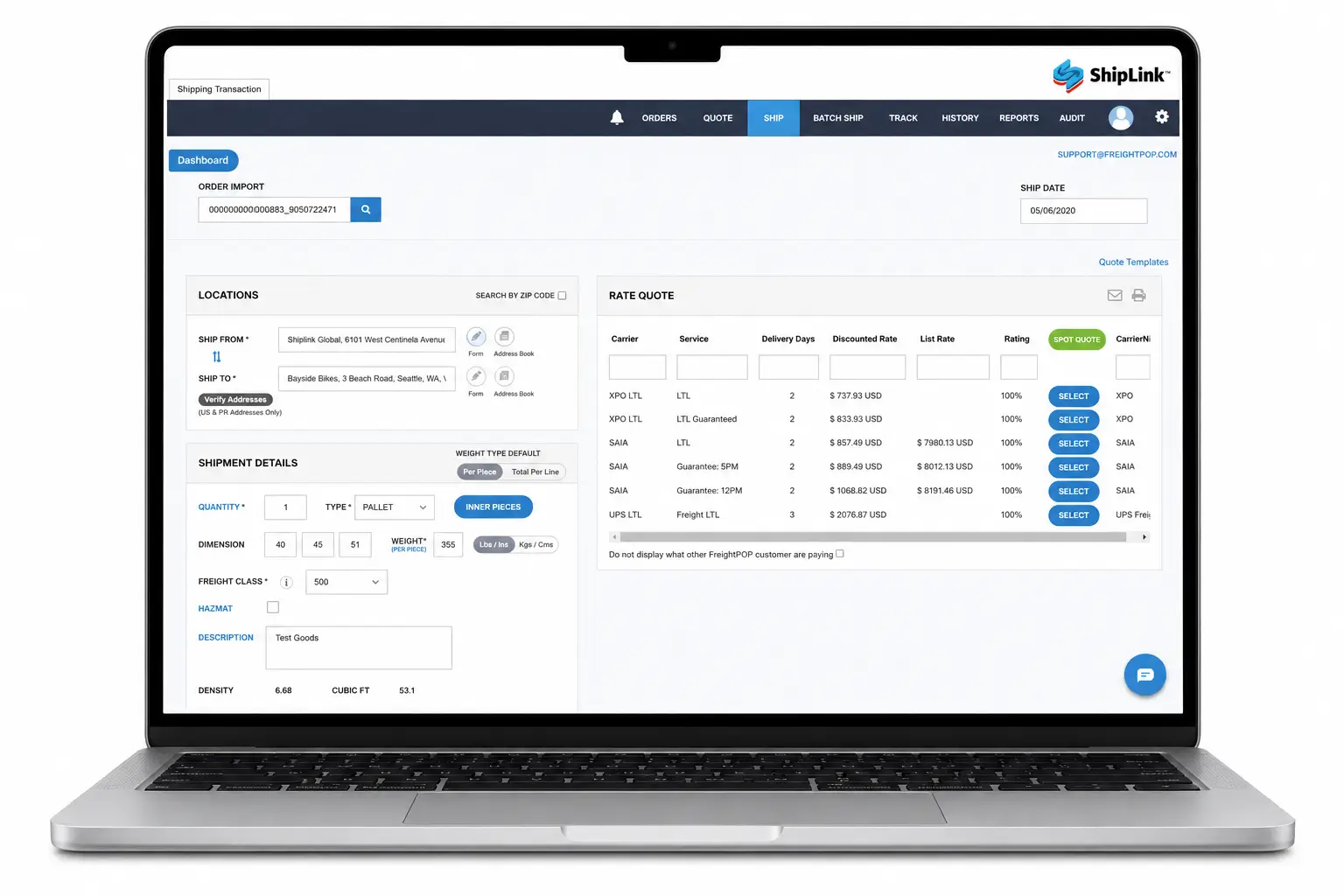
- Real-time rating, routing and time-in-transit options, including those contract, independent and spot quote rates
- Automatic BOL generation with full editing capability
- Automated tendering, booking and pickup scheduling
- Real time tracking and POD
- Post shipment reporting and carrier performance analysis
- Optional freight invoice audit, reconciliation and settlement
Enterprise Performance & Scalability
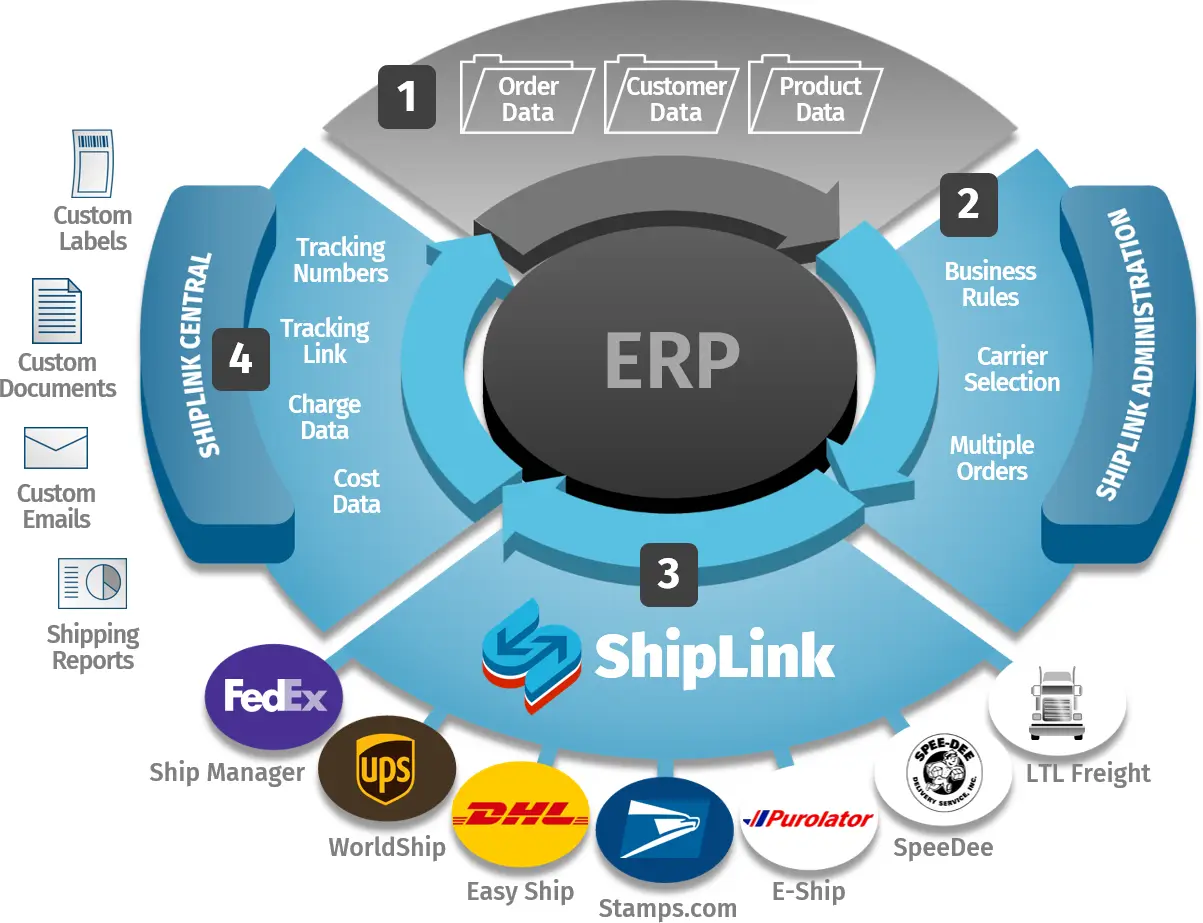
- ShipLink WorkStation Windows PC client application runs alongside carrier programs for users to scan or enter one or more pick tickets, add cartons and complete shipments.
- ShipLink Administration Included with every ShipLink WorkStation, this menu-driven, point and-click utility allows for the quick configuration of the Prophet 21 integration, including carrier accounts and business rules.
- ShipLink Central Cloud-based solution generates custom labels, documents, reports and email messages for every shipment.
- ShipLink Management Cloud This utility maintains workstations, manages configuration back-ups, and provisions carriers.
Point & Click Configuration
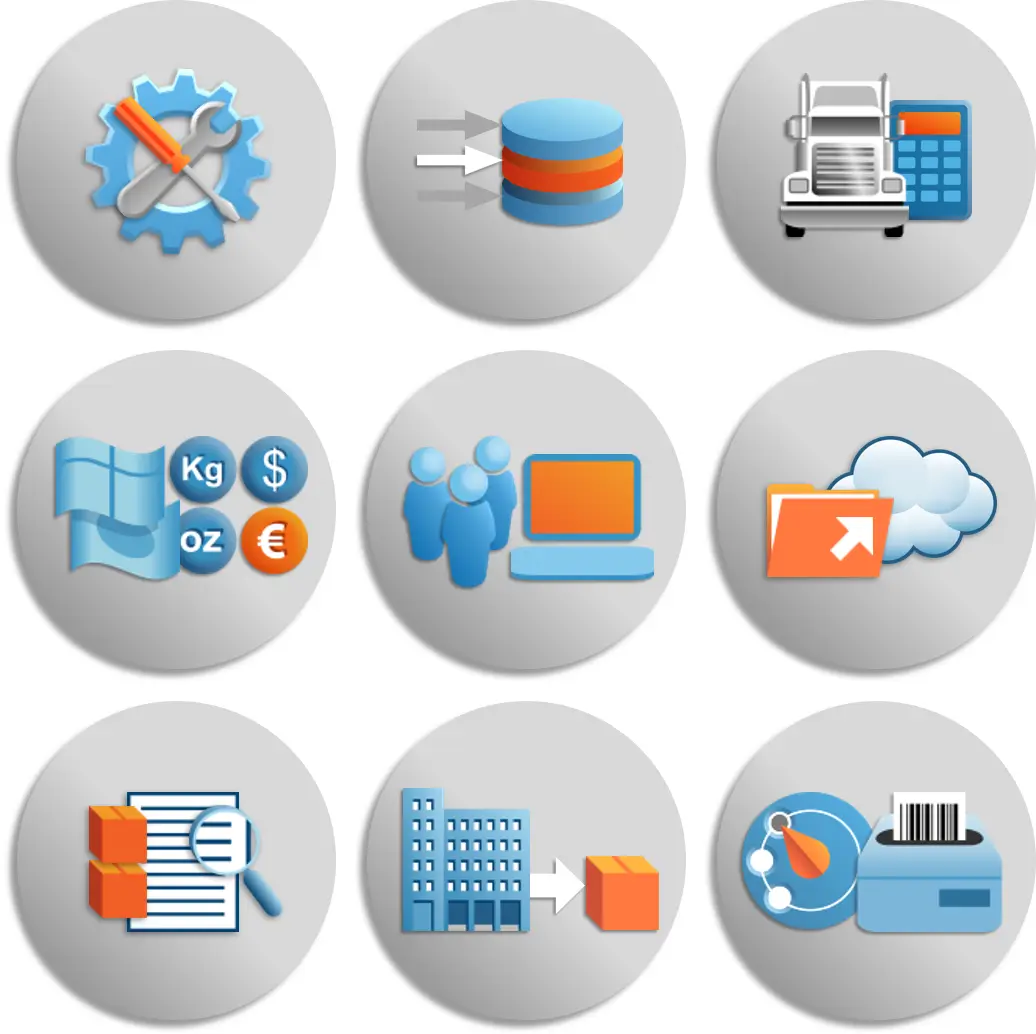
- Maintains ‘Ship-From’ addresses, scales, label printers, currencies and units of measure
- Maintains multiple carrier accounts & profiles, defines label output, translates carrier & service codes, applies special service rules and populates commodity data to automate international document preparation
- Defines ERP data sources, maintains shipment processing methods, calculates and allocates freight charges and discounts, specifies rules based email notifications, and corrects mistaken ‘Ship-to’ address data entry
- Performs back-up & restore functions, handles data file uploads, and logs detailed transaction data
Dynamic, Data-Driven Messaging & Documents
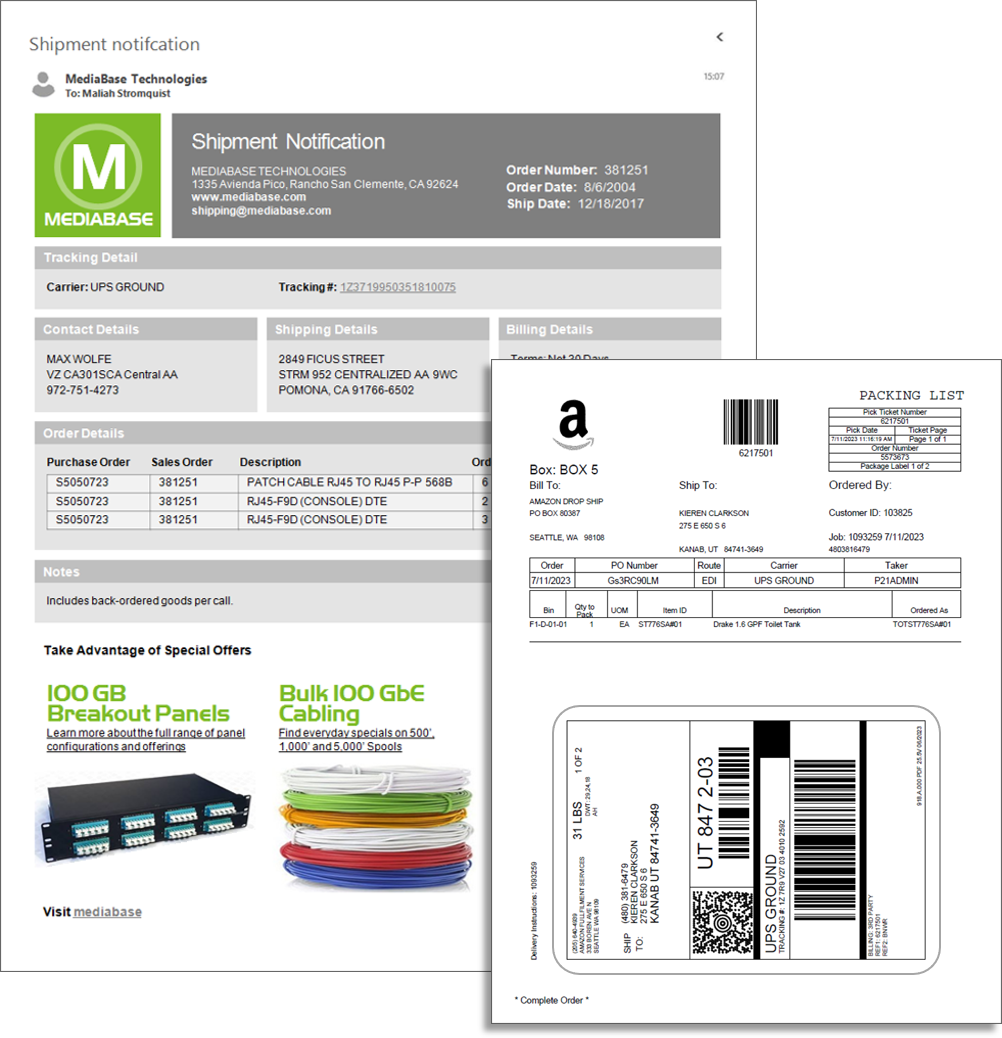
- Packing Slips – complete with company logos, line-item details and order-related promotional messages
- Compliance Documents – including shipment-specific Material Safety Data Sheets, Handling Instructions and International Declarations among others
- Specialized Labels – including those required for Chemicals/Hazmat, Contents, Serial/Lot, UCC and Vendor Compliance, among others
Management Dashboard & Reporting
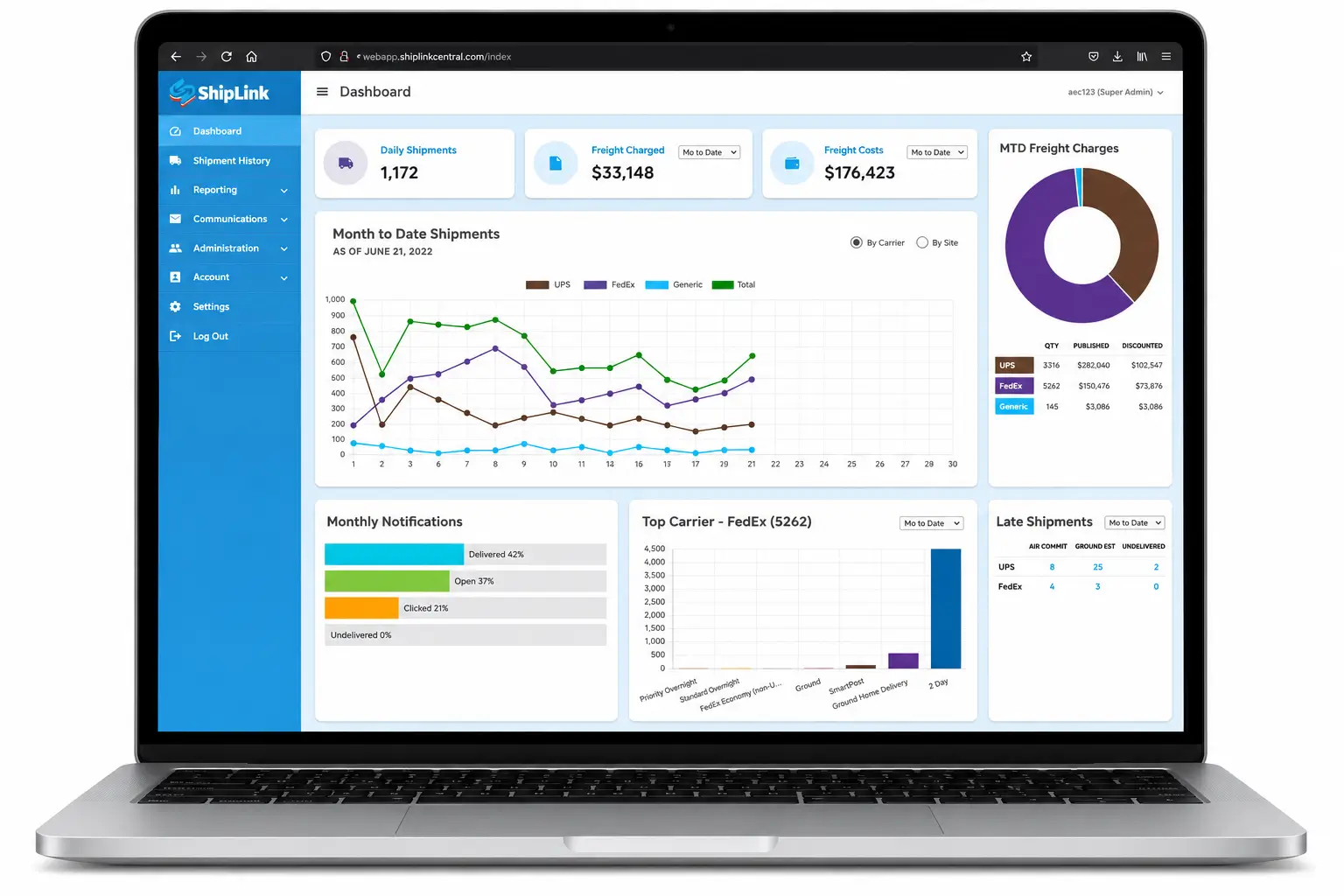
- Installs behind the firewall and records real-time shipment information from multiple locations/workstations and carrier tracking services.
- Includes a configurable dashboard with shipment volume, charge, cost, communication and late delivery data
- Provides searchable shipment listings, including line-item detail and real-time transit status
- Generates standard shipping reports with a WYSIWYG editor to quickly create your own custom outputs
- Tracks shipment confirmation emails, including their delivered, opened, clicked and bounced delivery status